
Special Effects: Or How to Shoot What Doesn’t Exist (Yet)
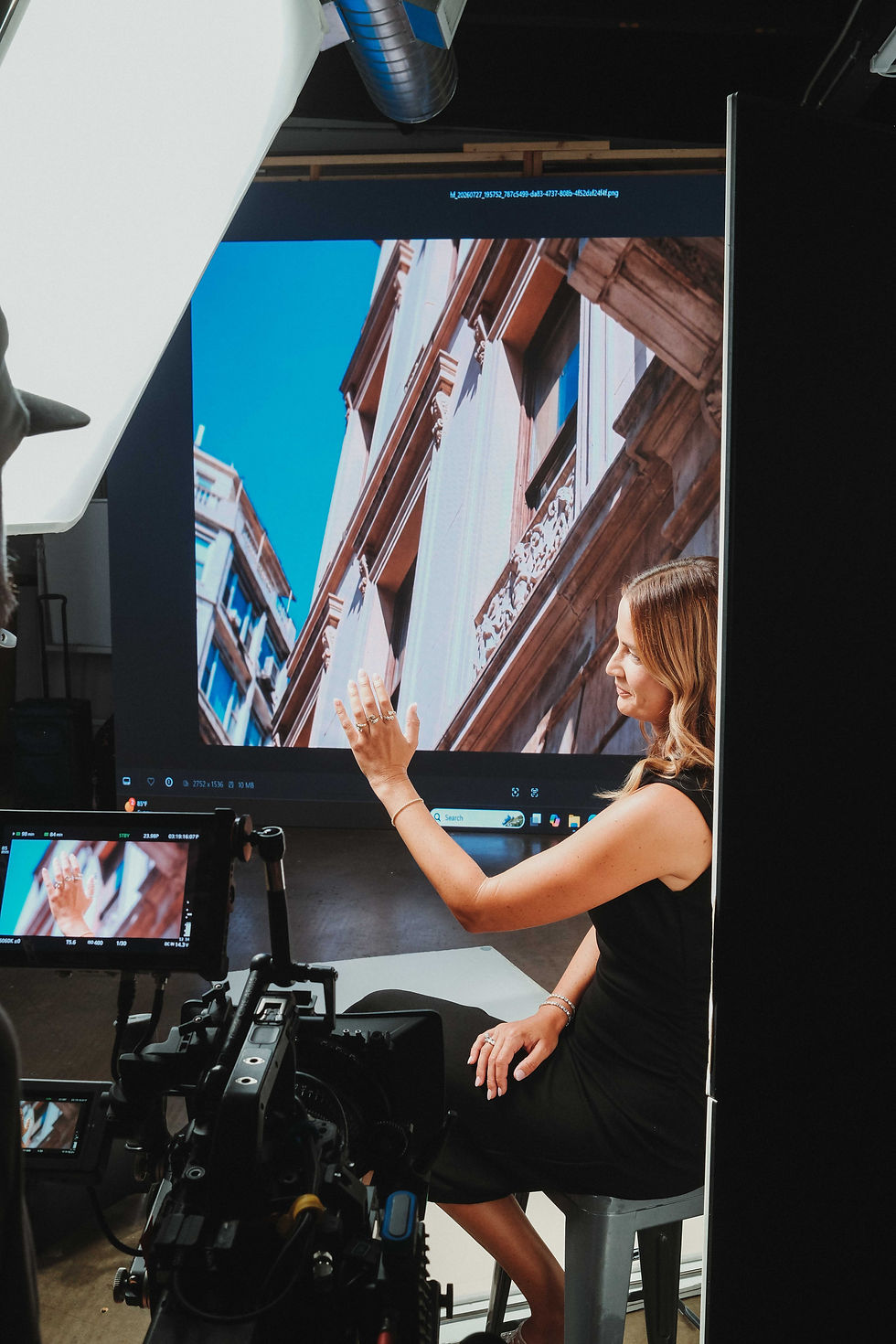
Special effects sound sexy until you’re knee-deep in logistics, timelines, green stickers, and a product that technically isn’t finished. We recently found ourselves in exactly that space: three very different productions, all requiring more than what you can just put in front of a camera and call a day.
Unfortunately this wasn’t about explosions or dragons. This was about compositing, planning, restraint, and making decisions that don’t ruin your budget or your sanity.
Let’s talk about it.
Shoot #1: ****** (aka the product with no face)
We kicked things off with a very large, very serious multinational company. New product. New packaging. Massive deliverable list. One small issue: the artwork wasn’t done. Possibly still isn’t. What showed up on set was a box of bottles in varying sizes with slapped on green screen labels. No logo. No typography.
Here’s exactly how we made it work.
1. Accept this is not a creative-first shoot
When artwork isn’t final, this becomes a logistics-first, technical-first production. You’re not shooting finished images, you’re shooting assets designed to survive compositing, VFX, and future artwork changes. If you approach this creatively first, you will fail.
At this scale there’s no winging it. You engineer the shoot.
2. Shoot for compositing, not capture
Every product shot must be clean, neutral, consistent, and easy to replace artwork on later. Photoshop can fix minor issues in stills. Motion is far less forgiving. Artwork is 2D. Video lives in 3D. The more you distort the product face, the more post-production complexity (and cost) you create.
3. Keep product orientation as 2D as possible
This was the most important rule and for us looked like product facing forward, camera pushes in or out, product moving toward camera, picking up and setting down, and controlled pours with a flat label plane.
High-risk moves would be rotating the product, tilting labels, extreme angles, half-in / half-out framing, and over-the-shoulder product shots. Once you break the label plane, you’re talking $30k–$100k+ in VFX.
4. Grid the product
We physically marked the product with hash marks on corners, one center mark, and a tic-tac-toe grid. This gives editors reference points, improves tracking, and makes artwork replacement faster and cleaner later.
5. Test before shoot day
We tested everything in advance: camera speed limits, dolly moves, pick-ups and resets, exiting and re-entering frame, etc. Testing defines what’s possible before you’re under pressure. Never discover limitations on shoot day.
6. Separate product shots from lifestyle shots
Our product shots were generally flat, controlled, neutral, with minimal movement. But lifestyle shots can be dynamic, handheld, include dollies and talent with more energy. The contrast kept product usable for post while letting the edit feel alive.
7. Control lighting aggressively
Artwork needs clean plates. We prioritized even, neutral lighting, minimal reflections on labels, and no hotspots or directional glare. If lighting isn’t clean, the composite breaks instantly.
8. Lock client non-negotiables early
Even without artwork, you must have exact label dimensions, placement specs, sticker tests, and ultimately the client’s buy-in on limitations. Clients need to understand this is a technical shoot, not a creative free-for-all.
9. Build what you can’t find
It’s also worth noting that to make this work, we literally built a custom laundry room inside the studio. Full set build. Premium finishes. Neutral lighting. Clean plates for days. Real estate in San Diego is scarce so if you have a laundry room at home large enough for a film crew, congratulations on your billions.
Shoot #2: Burst Oral Care (Practical + Photoshop)
Burst Oral Care is launching the Platinum Super Brush with futuristic, spacey, metallic, almost sci-fi vibes. The creative references included platinum ribbons, molten silver textures, paint splashes, and abstract motion. The kind of visuals that sound great in a deck and are almost impossible to execute practically without specialty rigs, insane budgets, or destroying the only product you have.
So we didn’t try to shoot the impossible. We shot for Photoshop.
Step one: choose texture over realism
Originally, the idea was to drop the toothbrush into liquid and capture a splash. The problem is water has no depth. Even tinted, it wouldn't give the editors anything to work with. Instead, we landed on a thick, oil-based platinum paint. It had body, texture, highlights, shadows— all things Photoshop (and AI-assisted tools) can actually grab onto and extend. This was critical. If there’s no texture, there’s no post-production magic. You can’t invent depth where none exists.
Step two: protect the product at all costs
We only had three toothbrushes. They weigh basically nothing. They don’t splash. And once oil-based paint touches them, that’s it. So instead of trying to capture a “perfect splash,” we created a base layer of paint, set the toothbrush halfway into it, and shot it clean, centered, and stable.
The splash came later.
By locking in the product practically (its position, angle, logo integrity, bristles), we gave ourselves a foundation that wouldn’t get destroyed when we started experimenting in post.
Step three: shoot plates like your life depends on it
Everything on this shoot was captured in plates:
The pedestal
The product on the pedestal
The paint pouring
The paint dripping at different stages
Clean background passes with negative space
A plate is essentially one layer of the final image. No effects. No tricks. Just clean, usable data. This matters because AI and Photoshop are terrible at specifics aka anything your five-year-old self struggled to draw. Could you draw a hand? Neither can AI. So instead of asking AI to invent the product (which would absolutely ruin it), we used it to enhance abstract elements only, then composited our real product back in.
Step four: build the image in post
From there, post-production became additive instead of corrective. We:
Extended paint splash lines using reference imagery
Generated abstract platinum ribbons and molten textures around the product
Adjusted intensity, scale, and flow without touching the brush itself
Added lighting effects digitally, including the illuminated smiley logo, which couldn’t be powered on during the shoot without vibrating paint everywhere
Every final image was a combination of practical product photography, practical paint texture, digital extensions, compositing, and light design. Nothing was guessed. Everything was anchored to something real.
Why This Approach Worked
If we had skipped the practical shoot and tried to generate everything digitally, the images would’ve fallen apart. If we had tried to shoot everything practically, we would’ve ruined the product. The difference between using Photoshop as a crutch and using it as a tool is knowing what had to be real and what could be built later. This shoot wasn’t about shortcuts but about planning. And the result was a set of images that felt bold, dimensional, and intentional, without needing a platinum splash rig or a seven-figure budget.

Shoot #3: Platinum LED (When the Light Is the Effect)
Our final special effects forward project was with Platinum LED. Red light therapy units that are extremely bright, extremely red, and extremely unforgiving. This kind of shoot is all about bracketing, control, and precision. You’re solving light issues in camera, across multiple exposures, so the editors can assemble something that feels natural in post. The challenge was was balancing what already existed. If you expose for the room, the light blows out. If you expose for the light, everything else falls into darkness. If you trust auto-anything, you probably lose. So this is where bracketing becomes the entire strategy.
Bracketing is the process of capturing multiple exposures of the exact same shot, each optimized for a different element in the frame. Instead of trying to “get it right” in one take, you intentionally break it into parts. On our Platinum LED setup that looked like:
Exposure 1: Dialed for the LED panel itself → preserves color accuracy, detail, and intensity without clipping
Exposure 2: Dialed for the talent → correct skin tones, texture, and emotion (aka not turning humans into red ghosts)
Exposure 3: Dialed for the environment → walls, floors, equipment, depth, context
All three exposures are captured from the same camera position with the same framing and with controlled movement (or none at all). In post, those exposures are layered and blended by your editors to create a final image that feels natural.
The Point of All This
Special effects are about expanding what’s possible without pretending physics, budgets, or timelines don’t exist. Whether it’s green screen labels, composited brush strokes, or blinding LED panels, the common thread is you can’t just capture what’s in the room anymore. Your vision has to be bigger. Your technical understanding has to be deeper. And you need clients who trust you enough to let you experiment, test, and occasionally build an entire room from scratch.
That’s how you get access to bigger productions, how you make better work, and how you survive shooting something that technically does not exist yet.
If you have questions, send them over. We’re on holiday break so we’ll get back to you in 2026 k thanks bye!


Comments